

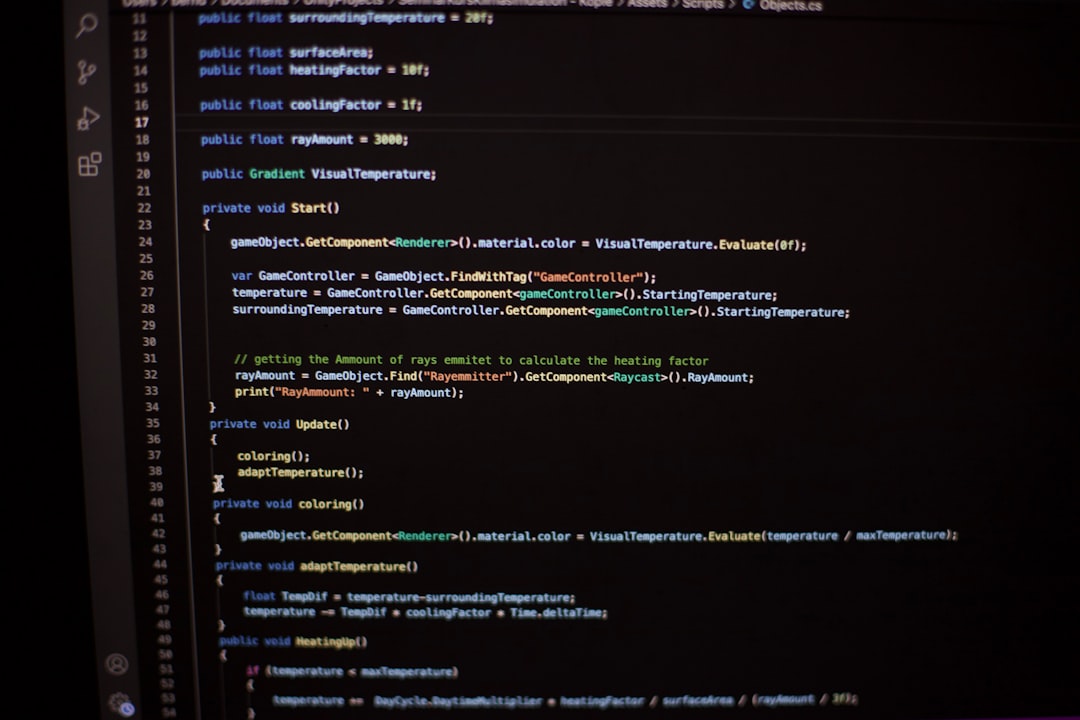
The life of a software developer is a continuous journey of learning, often requiring new skills and deeper understanding of existing tools. Even during what's supposed to be a "busy holiday," the desire to build, refine, and optimize persists. For those immersed in web development, specifically with React, mastering client-side data persistence is an invaluable skill. It’s about more than just remembering a user's preferences; it's about creating intuitive, robust applications that stand out.
At Srapsware, we empower developers and businesses by building cutting-edge web and mobile applications, leveraging powerful tools like React, Next.js, and TypeScript. A fundamental pattern we frequently implement to enhance user experience is saving component state directly to the browser's localStorage using React's useEffect hook. This approach ensures that even if a user navigates away or closes their browser, their crucial data remains intact, ready for their return.
This comprehensive guide will walk you through the essential concepts of localStorage and useEffect, demonstrating how to combine them effectively for seamless data persistence in your React applications. You'll gain practical insights and copy-paste-ready code snippets that you can implement in your projects immediately, transforming transient interfaces into consistently reliable user experiences.
The Imperative of Persistence: Why Local Storage Matters
In the world of web development, particularly for single-page applications built with frameworks like React, Vue.js, or Angular, maintaining application state across browser sessions is crucial. Without persistence, every browser refresh or revisit to an application would reset the user's progress, settings, or input, leading to a frustrating experience. This is where localStorage comes into play.
localStorage is a client-side, key-value storage mechanism provided by modern browsers. It allows web applications to store data persistently (meaning it survives browser closures) with no expiration date, unlike sessionStorage which only persists for the duration of the browser tab. While JavaScript cookies also offer persistence, they have stricter size limits and are automatically sent with every HTTP request, making localStorage a more suitable and efficient choice for larger client-side data storage.
Key characteristics of localStorage:
- Persistence: Data stored here remains until explicitly cleared by the user or the application.
- Origin-specific: Data is tied to the domain, meaning
example.comcannot access data stored byanother-domain.com. - Synchronous: Operations block the main thread, which is generally acceptable for small data sets but can be a performance concern for very large, frequent operations.
- String-based:
localStoragecan only store strings. Objects and arrays must be serialized (e.g., usingJSON.stringify()) before storage and deserialized (JSON.parse()) upon retrieval.
Common use cases for localStorage include remembering user preferences (dark mode, language), caching non-sensitive data, saving unsaved form drafts, or maintaining the state of a shopping cart in an e-commerce application.
 Photo by Daniil Komov on Unsplash
Understanding useEffect: React's Gateway to Side Effects
React's useEffect hook is a cornerstone for handling "side effects" in functional components. A side effect is any operation that affects the world outside of the component's render cycle. This includes data fetching, DOM manipulation, subscriptions, timers, and, critically for our discussion, interacting with browser APIs like localStorage.
useEffect takes two arguments:
- A callback function: This function contains the logic for your side effect. React will run this function after every render where the dependencies have changed.
- An optional dependency array: This array specifies the values that the effect depends on. If any value in this array changes between renders, the effect will re-run. If the array is empty (
[]), the effect runs only once after the initial render (likecomponentDidMount). If the array is omitted, the effect runs after every render.
// Example of useEffect
import React, { useState, useEffect } from 'react';

function MyComponent() {
  const [count, setCount] = useState(0);

  useEffect(() => {
    // This effect runs after every render where 'count' has changed
    console.log('Count changed:', count);

    // Optional: Return a cleanup function
    return () => {
      console.log('Cleanup for count:', count);
    };
  }, [count]); // Dependency array: effect re-runs if 'count' changes

  return (
    <div>
      <p>Count: {count}</p>
      <button onClick={() => setCount(count + 1)}>Increment</button>
    </div>
  );
}
The dependency array is crucial for performance and correctness. Incorrectly specifying dependencies can lead to infinite loops, stale closures, or unnecessary re-renders. When working with localStorage, we typically want to save data whenever a specific piece of state changes, making useEffect the ideal tool.
 Photo by Job Ferrari on Unsplash
The Synergy: Saving React State to Local Storage with useEffect
The core idea behind persisting React state to localStorage is simple:
- When your component first mounts, try to load the initial state from
localStorage. - Whenever the relevant piece of state changes, save its current value to
localStorage.
Let's illustrate this with a practical example: a simple counter component that remembers its last count even after the browser is closed and reopened.
Code Example 1: A Persistent Counter Component
This React component demonstrates how to initialize state from localStorage and then update localStorage whenever the state changes, using useState and useEffect.
import React, { useState, useEffect } from 'react';

function PersistentCounter() {
  // 1. Initialize state from localStorage or a default value
  // We use a function for useState to ensure localStorage.getItem() is only called once
  const [count, setCount] = useState(() => {
    try {
      const storedValue = localStorage.getItem('myCounterValue');
      // If a value exists, parse it. Otherwise, return 0.
      return storedValue ? JSON.parse(storedValue) : 0;
    } catch (error) {
      // Handle potential parsing errors or localStorage issues
      console.error("Failed to parse stored counter value:", error);
      return 0; // Return default value on error
    }
  });

  // 2. Use useEffect to save the state to localStorage whenever 'count' changes
  useEffect(() => {
    try {
      // localStorage only stores strings, so we JSON.stringify objects/numbers
      localStorage.setItem('myCounterValue', JSON.stringify(count));
    } catch (error) {
      // Handle potential errors like quota exceeded
      console.error("Failed to save counter value to local storage:", error);
    }
  }, [count]); // Dependency array: effect re-runs whenever 'count' changes

  return (
    <div className="card p-4 shadow-md rounded-lg">
      <h2 className="text-xl font-bold mb-2">Persistent Counter</h2>
      <p className="text-3xl font-semibold mb-4">Count: {count}</p>
      <button
        onClick={() => setCount(prevCount => prevCount + 1)}
        className="bg-blue-500 hover:bg-blue-700 text-white font-bold py-2 px-4 rounded mr-2"
      >
        Increment
      </button>
      <button
        onClick={() => setCount(0)}
        className="bg-red-500 hover:bg-red-700 text-white font-bold py-2 px-4 rounded"
      >
        Reset
      </button>
    </div>
  );
}

export default PersistentCounter;
In this example:
- The
useStatehook's initial value is set using a function. This function executes only once during the initial render, preventing redundantlocalStoragereads. Inside, it attempts to retrieve'myCounterValue'. If found,JSON.parse()converts it back from a string. If not, or if an error occurs, it defaults to0. - The
useEffecthook monitors thecountvariable. Whenevercountchanges (due to the Increment or Reset buttons), the effect callback runs. This callback then useslocalStorage.setItem()to store the newcountvalue, first converting it to a JSON string withJSON.stringify(). - Error handling (
try...catch) is included in bothuseStateinitialization anduseEffectto gracefully manage potential issues like corrupted data orlocalStoragequota limits.
This pattern is fundamental for building dynamic and user-friendly web applications.
Best Practices for Robust Local Storage Interaction
While the basic pattern is straightforward, several best practices ensure your localStorage interactions are robust, secure, and performant.
1. Data Serialization and Deserialization
Remember, localStorage only stores strings. For JavaScript objects, arrays, or numbers, you must serialize them to strings before storing and deserialize them back when retrieving.
Code Snippet 1: Safely Parsing Data
// Saving an object
const userSettings = { theme: 'dark', notifications: true };
localStorage.setItem('userSettings', JSON.stringify(userSettings));

// Loading and parsing an object
const storedSettings = localStorage.getItem('userSettings');
const parsedSettings = storedSettings ? JSON.parse(storedSettings) : { theme: 'light', notifications: false };
// parsedSettings will be the object or the default
console.log(parsedSettings);
2. Handling Initial State and Type Coercion
Always provide a sensible default value if localStorage.getItem() returns null (meaning no item was found). Also, be mindful of the data types. JSON.parse() handles numbers, booleans, arrays, and objects correctly, but if you're storing plain strings, no parsing might be needed.
3. Error Handling
localStorage operations can fail for several reasons, such as browser security restrictions or reaching the storage quota (typically 5-10 MB). Always wrap your localStorage calls in try...catch blocks.
Code Snippet 2: Basic Error Handling
try {
  localStorage.setItem('largeDataKey', JSON.stringify({ hugeArray: new Array(1000000).fill('item') }));
  console.log('Data saved successfully.');
} catch (error) {
  if (error.name === 'QuotaExceededError') {
    console.error('Local storage quota exceeded. Unable to save data.', error);
    // Implement fallback or prompt user to clear data
  } else {
    console.error('An error occurred with local storage:', error);
  }
}
4. Performance Considerations
For state that changes very frequently (e.g., an input field with every keystroke), writing to localStorage on every change can be inefficient due to its synchronous nature. Consider debouncing or throttling these updates to save data only after a user has paused typing for a short period. Libraries like Lodash offer utility functions for this.
5. Security
Crucially, never store sensitive information (like user passwords, API keys, or personal health information) in localStorage. It is vulnerable to Cross-Site Scripting (XSS) attacks, where malicious JavaScript code injected into your page could easily read localStorage contents. For sensitive data, server-side persistence with proper authentication and authorization is mandatory.
Beyond the Basics: Custom Hooks for Reusability and Abstraction
The pattern of combining useState and useEffect for localStorage persistence is so common that it's an ideal candidate for a custom React hook. Custom hooks allow you to encapsulate reusable stateful logic, making your components cleaner and more maintainable.
Let's refactor our persistent counter logic into a generic useLocalStorage hook.
Code Example 2: The useLocalStorage Custom Hook
This custom hook can be reused across any React component needing to persist state to localStorage.
import { useState, useEffect } from 'react';

function useLocalStorage<T>(key: string, initialValue: T) {
  // Use a function to initialize state, ensuring localStorage is only accessed once
  const [storedValue, setStoredValue] = useState<T>(() => {
    if (typeof window === 'undefined') { // Handle server-side rendering environments (like Next.js)
      return initialValue;
    }
    try {
      const item = window.localStorage.getItem(key);
      return item ? JSON.parse(item) : initialValue;
    } catch (error) {
      console.error(`Error reading localStorage key “${key}”:`, error);
      return initialValue;
    }
  });

  // useEffect to update localStorage whenever storedValue changes
  useEffect(() => {
    if (typeof window !== 'undefined') {
      try {
        window.localStorage.setItem(key, JSON.stringify(storedValue));
      } catch (error) {
        console.error(`Error writing localStorage key “${key}”:`, error);
        // Could also implement an alert or visual feedback to the user
      }
    }
  }, [key, storedValue]); // Effect re-runs if 'key' or 'storedValue' changes

  return [storedValue, setStoredValue] as const;
}

// How to use the custom hook in a component
function PersistentInput() {
  // Use the custom hook for a string input
  const [name, setName] = useLocalStorage('userName', 'Guest');
  // Or for an object
  const [settings, setSettings] = useLocalStorage('appSettings', { theme: 'light', notifications: true });

  const handleNameChange = (e: React.ChangeEvent<HTMLInputElement>) => {
    setName(e.target.value);
  };

  const toggleTheme = () => {
    setSettings(prev => ({ ...prev, theme: prev.theme === 'light' ? 'dark' : 'light' }));
  };

  return (
    <div className="card p-4 shadow-md rounded-lg mt-4">
      <h3 className="text-xl font-bold mb-2">Persistent Input & Settings</h3>
      <div className="mb-4">
        <label htmlFor="nameInput" className="block text-gray-700 text-sm font-bold mb-2">Your Name:</label>
        <input
          id="nameInput"
          type="text"
          value={name}
          onChange={handleNameChange}
          className="shadow appearance-none border rounded w-full py-2 px-3 text-gray-700 leading-tight focus:outline-none focus:shadow-outline"
          placeholder="Enter your name"
        />
        <p className="mt-2 text-sm text-gray-600">Hello, {name}!</p>
      </div>

      <div>
        <p className="text-gray-700 text-sm font-bold mb-2">Current Theme: {settings.theme}</p>
        <button
          onClick={toggleTheme}
          className="bg-purple-500 hover:bg-purple-700 text-white font-bold py-2 px-4 rounded"
        >
          Toggle Theme
        </button>
      </div>
    </div>
  );
}

export default PersistentInput;
This useLocalStorage hook is written with TypeScript for better type safety, defining a generic type T for the stored value. It also includes a check for typeof window === 'undefined', which is crucial when working with frameworks like Next.js that support server-side rendering (SSR). During SSR, window (and thus localStorage) is not available, so we must return the initialValue directly.
Using this hook, your components remain focused on their UI logic, while the complex persistence logic is neatly abstracted away. This pattern is widely adopted in modern web development and enhances the maintainability of large applications.
When Client-Side Isn't Enough: Considering Server-Side Persistence
While localStorage is excellent for client-specific, non-sensitive data, it has limitations. Data stored locally is tied to a single browser on a single device and is not synchronized across different devices or browsers. It also has storage limits and isn't suitable for sensitive information.
For scenarios requiring:
- User accounts and authentication.
- Data synchronization across multiple devices.
- Shared data among users.
- Highly sensitive information.
- Complex querying or relationships.
...you'll need server-side persistence. This involves sending data to a backend server, where it's stored in databases (SQL or NoSQL) and managed by server-side logic. Srapsware specializes in building robust backend systems using technologies like Node.js with Express, Python with Django or Flask, PHP with Laravel, Ruby on Rails, or Java frameworks. These systems handle data security, scalability, and integrity, complementing the client-side experience provided by React and localStorage.
Srapsware's Expertise in Web Development and Beyond
Understanding and implementing client-side persistence with React's useEffect and localStorage is just one facet of building exceptional digital experiences. At Srapsware, our team of expert developers leverages this knowledge and more across all our service offerings.
From crafting intuitive web development solutions with React, Next.js, Vue.js, or Angular, to developing high-performance mobile apps (using technologies like React Native for persistent state across sessions), managing scalable Cloud & DevOps infrastructure, and building feature-rich E-commerce development platforms where data persistence is paramount for shopping carts and user profiles – our expertise ensures robust, secure, and user-centric applications. We are proficient in a wide array of technologies, including JavaScript, TypeScript, HTML5, CSS3, Tailwind CSS, Bootstrap, and various backend frameworks, allowing us to deliver comprehensive digital transformation services tailored to your business needs.
By continuously learning and applying best practices in modern webdev, Srapsware helps businesses stay ahead in a dynamic digital landscape.
Are you looking to build a resilient web application, a scalable e-commerce platform, or streamline your digital operations? Our team is ready to transform your vision into reality, applying the same principles of efficiency and user experience discussed in this guide.
Photo by Bernd 📷 Dittrich on Unsplash